
FLLVILLEY Window Camera
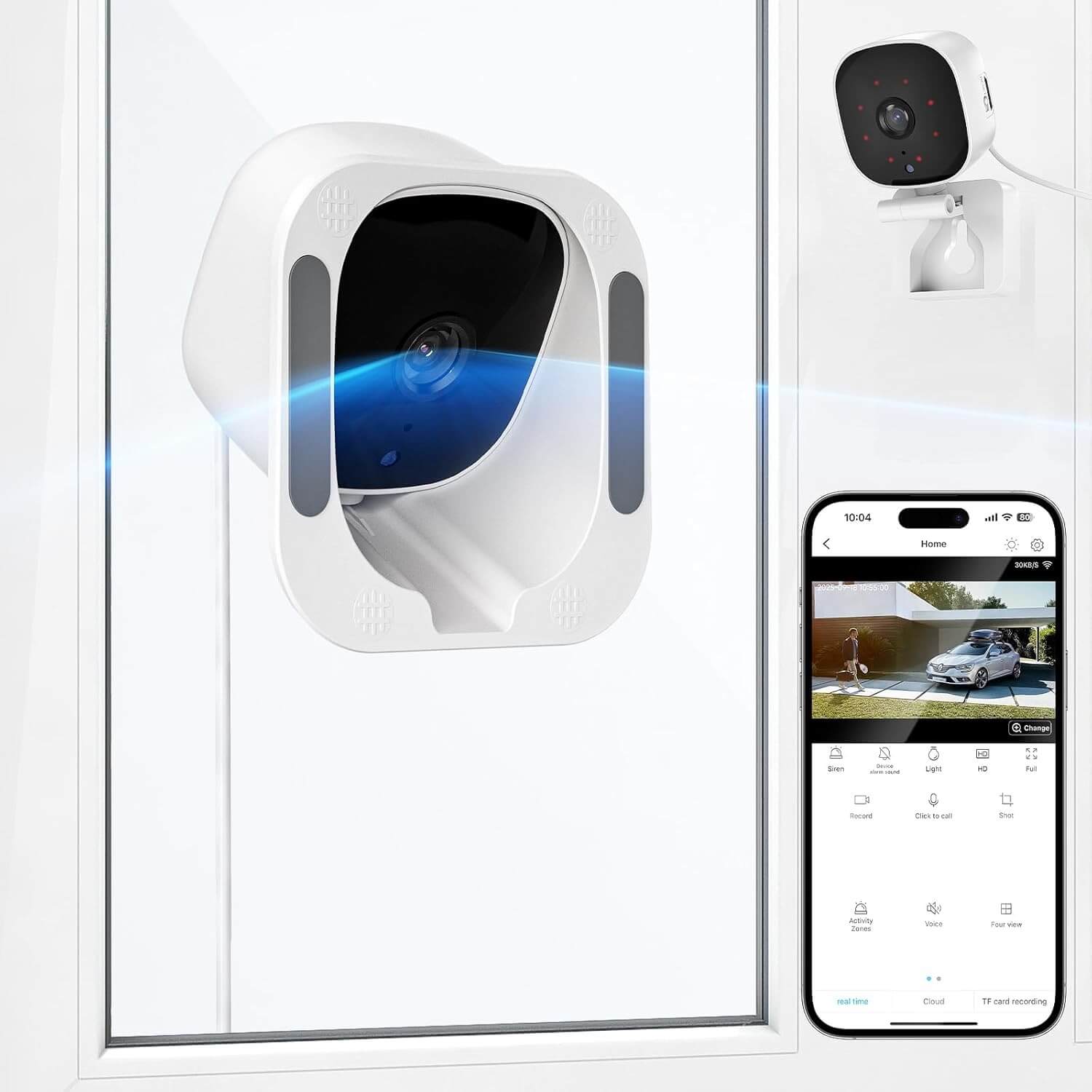
The FLLVILLEY Window Camera is a 2K window-mounted indoor camera designed to discreetly monitor your porch, yard, and entryway. It ships with an angled window mount to optimize viewing through glass and a long power cable for flexible placement.
You get a wide 120° field of view, human and motion detection with event logging, and 24/7 continuous recording to a MicroSD card. Alerts are delivered via the companion app, and setup is straightforward for most users.
Connectivity supports dual-band 5GHz and 2.4GHz WiFi. For best reliability of certain features like activity zones, some users report the app performs more consistently on 2.4GHz networks.
Secure transaction via Amazon.com
Detailed Specifications
2K Resolution
Captures clear details across your porch and yard with a wide, sharp image.
120° Wide View
The angled window mount helps reduce glare and expands coverage on your porch or driveway.
Dual-Band Connectivity
Supports 5GHz and 2.4GHz WiFi; for some features, 2.4GHz may be more reliable.
Human & Motion Detection
Sends real-time alerts when people approach; tune sensitivity to reduce false triggers.
Two-Way Audio
Talk to visitors through the app with built-in mic and speaker.
24/7 Recording & Setup
Continuous recording to MicroSD with optional cloud; angled mount and long cable simplify placement.
Is it right for you?
Why We Love It
Angled Window Mount
Helps reduce window glare and improves coverage without drilling.
Dual-Band WiFi
Works with both 5GHz and 2.4GHz networks for stable connectivity.
Human Detection
Sends prompt notifications when people are detected near the window.
24/7 Recording
Continuous local recording to MicroSD with optional cloud backup.
Discreet Placement
Less noticeable behind glass; ideal for subtle home monitoring.
Points to Consider
Indoor Placement
Designed for indoor window mounting; not weatherproof for outdoor exposure.
App Reliability
Some features may work more consistently on 2.4GHz; intermittent internet can require restarting the app.
Alarm Volume
Users report limited control over alarm volume within the app.
Potential Glare
Strong flood lights may introduce reflections; adjust placement to reduce glare.
MicroSD Sold Separately
Continuous local recording requires a MicroSD card that is not included.
Frequently Asked Questions
Does it support 5GHz WiFi?
Yes. It supports both 5GHz and 2.4GHz. For features like activity zones, using 2.4GHz can be more reliable on some networks.
Can it record continuously?
Yes. Enable continuous recording in the app to write 24/7 to a MicroSD card. During internet outages, cloud sync pauses; restart the app after connectivity returns.
How do I access SD recordings?
Open the device in the companion app, go to storage or playback, and select Local/MicroSD to browse the timeline.
What is the field of view?
120° wide-angle coverage. Use the angled window mount to optimize framing and reduce reflections.
Can I adjust alarm volume?
The app may not expose a volume slider. Try changing the alarm tone or rely on push notifications for consistent alerts.
Why do activity zones fail on some networks?
Frequent band switching can affect reliability. Connect the camera and phone to the same 2.4GHz SSID and avoid automatic band steering.
What if the app shows “No Internet”?
Check router signal, confirm the SSID, and restart the camera. If the app remains disconnected, force-close and reopen it to resume event sync.
People detection seems inconsistent—how to tune?
Lower sensitivity, define activity zones, and angle the camera to avoid headlights or reflective surfaces. Keep firmware and app updated.
How do I reduce window glare at night?
Slightly angle the camera, avoid direct flood lights on glass, and adjust exposure or sensitivity in the app.
Is it weatherproof?
It is intended for indoor window mounting and is not rated for outdoor exposure.
How to install the angled window mount?
Clean the glass, adhere the mount firmly, and aim slightly downward to reduce reflections while covering porch and entry paths.